CRMWorkflow AutomationSales• July 18, 2026• 6 min read
CRM Automation Guide: Stop Updating Your CRM Manually
A
Arham Qadeer
AutomationForce
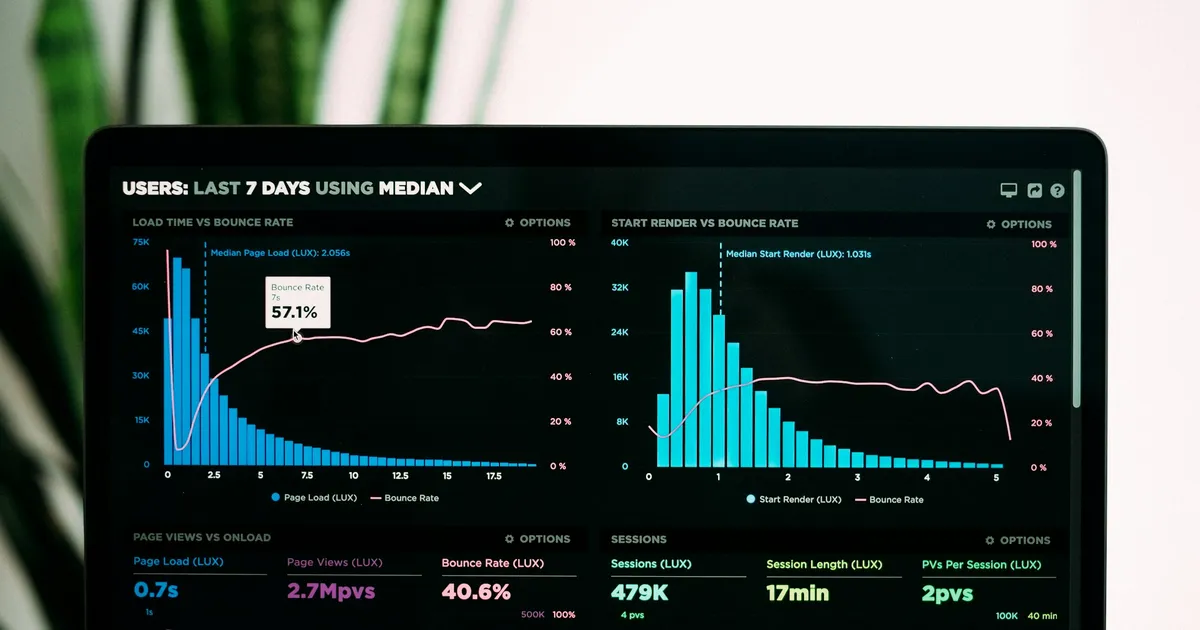
Your CRM was supposed to organize your sales process. Instead, it became a second job. Notes typed after every call, deals dragged between stages, follow-ups set by hand, and fields that are blank or wrong because everyone is too busy selling to do data entry. CRM automation fixes this specific problem: it makes the CRM update itself, so the data is finally accurate and your team's hours go back into revenue work.
What Is CRM Automation?
CRM automation is the use of software to create, update, and act on CRM records automatically, without a person typing. New leads create themselves from forms, emails, and calls. Activities log themselves. Deals move stages when real-world events happen. Follow-up tasks appear based on rules instead of memory. The CRM shifts from a manual logbook your team resents into a live system that reflects reality on its own.
Why It Matters More Than It Sounds
Manual CRM upkeep is not a minor annoyance; it is one of the largest hidden costs in a sales operation. According to Salesforce's State of Sales research, sales reps spend only about 30% of their week actually selling, with the rest lost to administration, data entry, and internal work.
The damage compounds in three ways:
- Wasted selling hours. Every hour of typing notes and updating fields is an hour not spent on calls, demos, or follow-ups.
- Bad data leads to bad decisions. When updates are manual, they are late or skipped. Pipeline reviews then run on fiction, and forecasting becomes guesswork.
- Leads fall through cracks. A lead that never made it into the CRM, or sat in the wrong stage for two weeks, is revenue quietly lost. This is the same failure mode we cover in our AI lead qualification guide.
How CRM Automation Works
A typical automated CRM setup connects your CRM to the places where customer activity actually happens, then applies rules and AI where judgment is needed:
- Capture. Website forms, chat conversations, inbound emails, and call bookings create or update contacts automatically, with source tracking intact.
- Enrichment. The system fills in company details, deduplicates records, and formats data consistently, so every record meets the same standard.
- Activity logging. Emails, meetings, and calls attach themselves to the right contact and deal. Nobody types "had a call, they want a proposal" ever again.
- Stage movement and tasks. When a proposal is sent or a payment lands, the deal moves and the next task is created with an owner and a due date.
- Follow-up sequences. Contacts that go quiet trigger reminders or automated check-in emails on your schedule instead of whenever someone remembers.
- Reporting. Pipeline and activity reports assemble themselves from data that is finally trustworthy.
The Highest-Value CRM Automations to Build First
Lead Capture to CRM
Every form, chat, and inbox flows into the CRM instantly, deduplicated and tagged by source. This is the foundation everything else builds on, and it usually exposes how many leads were leaking before.
Automatic Activity Logging
Connect email and calendar so every touchpoint logs itself. This single automation removes the most hated chunk of manual work and makes every later automation smarter, because the data underneath is complete.
Speed-to-Lead Follow-Up
New lead triggers an immediate acknowledgment and a routed task, or an AI-driven first touch, within minutes instead of hours. This is typically where CRM automation stops being a cost saving and starts being a revenue increase.
Stale Deal Alerts
Deals sitting in a stage past a threshold ping their owner and escalate if ignored. Pipelines stop accumulating zombie deals that inflate forecasts.
Post-Sale Handoffs
Closed-won triggers onboarding tasks, welcome emails, and invoice creation. The customer experience stops depending on whether the salesperson remembered to tell operations.
Who Benefits Most
- Sales teams of 2 to 20 reps drowning in admin, where reclaimed hours translate directly into more pipeline touched
- Founders running sales themselves who need the CRM to work without being its full-time janitor
- Service businesses juggling quotes, jobs, and follow-ups across email, phone, and forms
- Any business whose "CRM" is currently a spreadsheet and knows the manual habit will not survive growth
Common CRM Automation Mistakes
- Automating on top of a messy CRM. Duplicate contacts and inconsistent stages get worse at machine speed. Clean the structure first, then automate. This is the first thing we do on every engagement.
- Over-automating customer-facing touches. Automated internal updates are safe. Automated outreach needs taste; too much and every message from you reads like a robot. Automate the plumbing, keep humans in the relationship moments.
- No ownership of failures. Integrations break silently: an API change, a renamed field, an expired token. Build error alerts and name an owner, or discover the breakage weeks later in a broken pipeline.
- Skipping the team. If reps do not trust or understand the automation, they work around it and the data splits into two realities. Involve them in the rules, especially around lead routing and task creation.
- Buying a bigger CRM plan instead of fixing the process. Features do not fix workflow problems. Map the process, then automate it, on the plan you already have if possible.
FAQ
Which CRMs can be automated?
Practically all mainstream ones: HubSpot, Salesforce, Pipedrive, Zoho, GoHighLevel, and most industry-specific CRMs with an API. Built-in automation features cover the basics; the real gains come from connecting the CRM to everything around it, which is where tools like Zapier, Make, or n8n come in. See our comparison of the three platforms for which fits your volume.
How much does CRM automation cost?
Simple capture-and-notify automations are DIY-able on platform free tiers. Professionally built CRM automation typically starts around $1,500 as part of workflow automation, with scope driving the price. Full numbers in our AI automation cost guide.
Where does AI fit into CRM automation?
Rules handle the predictable: routing, logging, stage moves. AI handles the judgment layer: summarizing calls into clean notes, scoring leads on fit, drafting personalized follow-ups for human review. The strongest setups combine both rather than choosing one.
Final Takeaway
A CRM that depends on manual updates will always be incomplete, and every report built on it will inherit the gaps. CRM automation turns the system into something that maintains itself: leads arrive, activities log, deals move, and follow-ups fire on time. Start with capture and activity logging, add follow-up automation next, and keep humans in the conversations that matter.
Make Your CRM Update Itself
If your team's CRM discipline depends on nagging, the process is the problem, not the people:
- Explore our workflow automation service for CRM automation builds across HubSpot, Pipedrive, Zoho, and more
- Read pricing and process FAQs before you commit
- Get a free automation audit and we will map exactly which CRM tasks are costing you the most hours
- See our portfolio for real automation systems we have shipped for US businesses
Get Started
Want to implement this?
We specialize in building autonomous AI agents and complex business workflows. Let's discuss how we can tailor this solution for your company.
Related Articles
LogisticsAI Automation
AI Automation for Logistics Companies: The Complete Guide
AI automation for logistics companies streamlines dispatch, tracking, and freight documentation so teams move more loads without adding headcount.
8 min read
Invoice ProcessingAccounts Payable
How to Automate Invoice Processing (Without the Chaos)
Learn how to automate invoice processing: what it costs, how the workflow actually works, and the mistakes that turn AP automation into a mess.
8 min read
Workflow AutomationTool Review
n8n Review 2026: Is Self-Hosting Worth the Hassle?
An honest n8n review for small business owners: real pricing, self-hosting costs, AI agent features, and when Zapier or Make is the smarter choice.
8 min read